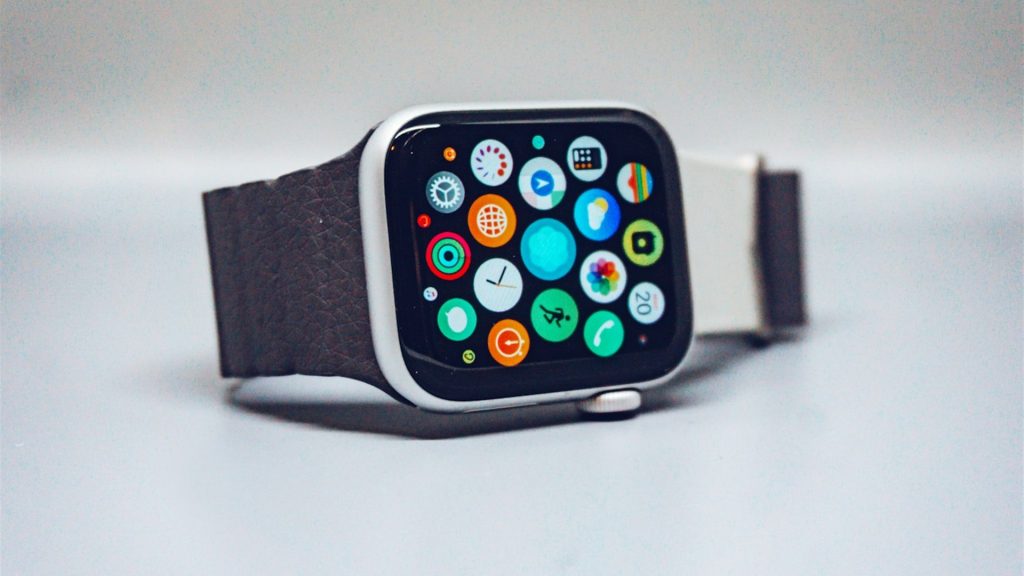
In the modern digital health and fitness landscape, an athlete’s daily physiological journey is captured across multiple hardware sensors and software platforms. A lifter might wear a smartwatch to track heart rate during a heavy deadlift workout, step onto a smart scale to log morning body mass, wear a ring or watch to sleep to record slow-wave sleep and Heart Rate Variability (HRV), and use a smartphone to scan barcodes and log macronutrients. Historically, unifying these disparate streams of telemetry was an absolute nightmare of broken third-party APIs, duplicated entries, and battery-draining background processes. Today, two dominant centralized frameworks govern mobile health data architecture: Apple’s venerable HealthKit on iOS and Google/Samsung’s unified Health Connect on Android. For fitness enthusiasts and developers alike, understanding how these underlying data hubs operate is essential for seamless training and recovery analytics.
In this technical masterclass, we examine the database architecture, security frameworks, background synchronization lifecycles, data type schemas, and biometric precision of both Apple HealthKit and Android Health Connect, revealing how an advanced workout tracker coordinates two-way synchronization across both ecosystems.
1. Architectural Foundations: iOS HealthKit vs. Android Health Connect
To evaluate these platforms, one must look beneath the user interface at their software engineering foundations:
Apple HealthKit: The Centralized On-Device Encrypted Vault
Introduced by Apple in iOS 8 (2014), HealthKit is an integral part of the core operating system framework. HealthKit is not an external application; it is a secure, localized SQLite database managed directly by the iOS daemon healthd:
- Hardware-Level Encryption: All health data stored in HealthKit is encrypted on-device using iOS Data Protection class “Complete Protection until First User Authentication.” When your iPhone is locked with a passcode or Face ID, health data cannot be read by any application or unauthorized process.
- Zero-Knowledge iCloud Sync: When health data synchronizes between an iPhone, iPad, and Apple Watch via iCloud, Apple employs end-to-end encryption. Even Apple engineers cannot decrypt or view your heart rate or workout telemetry.
- Monolithic Single Source of Truth: On iOS, third-party apps do not connect directly to one another. Instead, all apps write to and read from the central HealthKit repository, ensuring complete data consistency across apps.
Google / Samsung Health Connect: The Android Platform Renaissance
For over a decade, Android suffered from extreme health data fragmentation. Google Fit operated as a cloud-based API, Samsung Health maintained its own proprietary silo, and third-party apps required dozens of fragile cloud-to-cloud integrations. In 2022, Google partnered with Samsung to launch Health Connect, establishing an on-device architecture that rivals Apple:
- On-Device Repository: Integrated directly into the Android core OS (starting in Android 14 as a system service), Health Connect stores fitness and biometric data locally on the physical Android device rather than in a cloud server.
- Granular Android Permissions: Users have total control over which specific apps can read or write individual data types (e.g., granting an app permission to read sleep stages while denying permission to read body weight).
- Samsung Health Integration: Samsung natively transitioned its Galaxy Watch ecosystem to sync directly with Health Connect. Telemetry recorded by a Galaxy Watch flows seamlessly into Health Connect, making it instantly accessible to third-party fitness apps.
2. Technical Comparison Matrix: Apple HealthKit vs. Android Health Connect
The following table contrasts the technical specifications and operational capabilities of both platforms:
| Technical Metric | Apple HealthKit (Apple Watch / iOS) | Android Health Connect (Wear OS / Samsung) | Functional Fitness Impact |
|---|---|---|---|
| Data Storage Location | On-device local SQLite; end-to-end encrypted iCloud | On-device local database; optional Android cloud backup | Both prioritize strict user privacy and zero unauthorized server sharing. |
| Background Sync Execution | HKObserverQuery enables immediate background delivery |
WorkManager background tasks poll periodically | Apple wakes apps instantaneously; Android syncs on scheduled cycles. |
| Workout Session Model | HKWorkout with granular continuous metadata |
ExerciseSessionRecord with laps & routes |
Both capture exercise duration, active calories, and peak heart rate. |
| Heart Rate Variability (HRV) | SDNN natively recorded; third-party apps read samples | HeartRateVariabilityRmssdRecord natively supported |
Android supports rMSSD natively; iOS requires conversion calculations. |
| Sleep Staging Granularity | Deep, REM, Core (Light), and Awake stages | Deep, REM, Light, and Awake stages | Complete parity: identical multi-phase sleep architecture support. |
| Macronutrient Ingestion API | Carbs, Protein, Total Fat, Fiber, Micronutrients | NutritionRecord (Full macro & micronutrient breakdown) |
Both provide two-way sync with your food tracker. |
3. The Synchronization Pipeline: Workouts, Calories, and Sleep
Understanding how data flows between your wrist, phone, and centralized hub reveals why data integrity matters:
1. Strength Workout Sessions
When you conclude a heavy lifting workout on an Apple Watch or Wear OS device, the IMPOLS watch app writes an active workout record to the native hub. This record contains total active energy burned (kcal), average and peak heart rate, and exact timestamps. The centralized hub immediately broadcasts this event to connected apps, closing your Apple Fitness Activity rings or updating Samsung Daily Activity targets without manual user input.
2. Two-Way Energy Balance Reconciliation
Active calories burned during resistance training are instantly shared with your macro tracker. If your planned basal expenditure was 2,000 kcal, and HealthKit or Health Connect reports a 450 kcal strength session, your daily caloric allowance dynamically expands to preserve recovery and prevent unintended metabolic deficits.
3. Sleep and Autonomic Recovery Ingestion
Upon waking, your smartwatch writes nocturnal sleep staging (deep slow-wave sleep, REM, light sleep) and nocturnal HRV to the central repository. The IMPOLS recovery algorithm queries this data to calculate your morning Energy Bank score on your sleep tracker, determining whether your central nervous system is ready for heavy compound loading.
4. Step-by-Step Protocol: Configuring Perfect Data Sync
To ensure flawless, conflict-free synchronization across your fitness tech stack, execute this 4-phase configuration:
Phase 1: Establish Single Sources of Truth
The number one cause of duplicated workouts and conflicting step counts is having multiple apps writing identical metrics simultaneously. Designate a single writer for each data category:
- Workouts & Heart Rate: Allow only your primary lifting app or smartwatch (Apple Watch or Wear OS) to write workout sessions.
- Nutrition & Macros: Allow only your dedicated food tracker to write calories, protein, carbs, and fats.
- Body Composition: Allow only your smart scale app to write body weight.
Phase 2: Grant Granular HealthKit / Health Connect Permissions
On iOS, navigate to Settings → Health → Data Access & Devices → IMPOLS → Turn All Categories On. On Android, navigate to Settings → Security & Privacy → Health Connect → App Permissions → IMPOLS → Allow All. This grants read/write access to biometric telemetry without unnecessary friction.
Phase 3: Battery Optimization Whitelisting on Android
Unlike iOS where HealthKit operates as an unkillable system daemon, Android aggressive battery optimization software (such as Samsung One UI or Xiaomi MIUI) can inadvertently terminate background sync tasks. Navigate to Android Settings → Apps → IMPOLS → Battery → Select “Unrestricted”. This ensures background Health Connect queries sync immediately when your workout ends.
Phase 4: Periodic Health Data Audit
Once per month, open the native Apple Health or Health Connect management screen to audit active connections. Revoke access from deprecated apps, old fitness trackers, or redundant testing tools to keep your localized database lean, fast, and free of corrupted entries.
5. Common Health Data Sync Errors and Fixes
Error 1: Duplicated Calories Burned in Food Trackers
A frequent user error occurs when an athlete logs a gym workout in their fitness app, while Apple Health also records active calories from the native Apple Workout app. If both sync into a nutrition app, your daily calorie burn is doubled, creating an illusion of a 900-calorie deficit. Ensure only one app records workouts.
Error 2: Missing Sleep Stages on Android
If your sleep duration syncs to Health Connect but slow-wave deep sleep and REM stages are missing, the issue is almost always Android OS version mismatch. Granular sleep staging requires Health Connect API version 1.1 or higher (standard on Android 14). Update your Android software and Google Play Services to resolve.
Error 3: Desynchronized Time Zones During International Travel
Crossing multiple time zones can fragment 24-hour daily totals. Both HealthKit and Health Connect store records with absolute UTC timestamps paired with local time-zone offset metadata. Always ensure your smartphone date and time settings are set to “Set Automatically” to avoid timezone-induced data splits.
6. Developer View: Building Modern Fitness Sync Pipelines
For technical enthusiasts interested in fitness software engineering, developing for HealthKit versus Health Connect reveals fascinating philosophical differences between Cupertino and Mountain View:
- Apple HealthKit API (Swift): Highly declarative and mature. Querying samples utilizes
HKSampleQueryor continuousHKAnchoredObjectQuery. Background updates wake the app in the background viaenableBackgroundDelivery, providing near-zero latency synchronization. - Android Health Connect API (Kotlin): Built entirely on Kotlin Coroutines and Jetpack Architecture components. Data reading is executed via
HealthConnectClient.readRecords()with type-safe response classes. Changes are tracked via a centralized Change Logs token mechanism.
The IMPOLS cross-platform architecture abstracts both native frameworks into a unified data synchronization layer, guaranteeing that whether you lift with an iPhone and Apple Watch or a Samsung Galaxy phone and Galaxy Watch, your progressive overload and recovery metrics remain identical.
7. The Future of Health Telemetry: Continuous Biomarkers
Both Apple and Google are aggressively expanding their health APIs to support next-generation non-invasive physiological sensors. In development are standardized schemas for continuous blood glucose monitoring (CGM), real-time hydration sensors, and advanced micro-vascular stiffness markers. As wearable hardware advances, these centralized repositories will evolve from reactive historical logs into predictive physiological cockpits.
7b. Data Sovereignty and User Privacy Rights
In an era where massive cloud tech companies monetize user browsing history, health and biometric data represents the most sensitive personal information in existence. Both Apple HealthKit and Google Health Connect deserve immense praise for rejecting centralized cloud storage in favor of localized on-device encryption. Your heart rate, sleep architecture, and strength metrics belong solely to you, never sold to third-party advertising brokers or health insurance underwriters.
7c. Integrating Health Sync with Autoregulation
When health sync operates seamlessly, intuitive training reaches its full potential. You no longer have to manually input how many hours you slept, whether your HRV dropped, or what your active calorie burn was. The app absorbs these variables automatically, adjusting your target reps and working sets in your workout tracker before you even rack the bar.
7d. Heart Rate Zone Categorization Discrepancies
Another technical nuance between the platforms is how heart rate zones are categorized. Apple HealthKit calculates aerobic and anaerobic heart rate zones dynamically using the Heart Rate Reserve (Karvonen formula) based on resting heart rate samples, whereas standard Health Connect integrations often default to static percentage-of-max (220 minus age) formulas.
The IMPOLS engine standardizes this telemetry across both ecosystems, applying personalized lactate threshold heart rate algorithms to ensure your cardiovascular exertion metrics and recovery scores remain completely comparable regardless of which platform tracks the session.
8. Frequently Asked Questions
Can I sync data between an Apple Watch and an Android phone?
No. Apple Watch requires an iPhone to set up and sync HealthKit data. If you use an Android smartphone, a Wear OS smartwatch (such as Samsung Galaxy Watch or Google Pixel Watch) syncing via Health Connect is the recommended setup.
Does Health Connect require an internet connection to sync?
No. Health Connect is an on-device local database. Apps can read and write data locally while completely offline. Synchronization happens instantly on your phone hardware.
Will syncing my fitness data drain my smartphone battery?
No. Both Apple HealthKit and Android Health Connect are deeply integrated OS-level services engineered for ultra-low power consumption, utilizing less than 1% of daily phone battery.
Can I export my raw health data for personal spreadsheet analysis?
Yes. Both Apple Health and Google Health Connect allow users to export their complete historical health record as a standard XML or CSV archive for personal data science exploration.
9. Summary and Health Data Sync Checklist
Centralized health data hubs represent the backbone of modern quantified self-athletics. By configuring HealthKit or Health Connect properly, you unlock a seamless ecosystem where training, nutrition, and recovery harmonize automatically.
- Understand the on-device encrypted architecture of Apple HealthKit and Android Health Connect.
- Assign a single source of truth for workouts, nutrition, and sleep to prevent data duplication.
- Grant granular read/write permissions to your dedicated fitness applications.
- Whitelist your fitness apps from aggressive Android battery termination to maintain continuous sync.
- Synchronize active workout calories to dynamic targets in your food tracker.
- Pull nocturnal sleep and HRV data directly into your sleep tracker to calculate daily biological readiness.
- Log all strength workouts seamlessly via your smartwatch (Apple Watch or Wear OS) in your workout tracker.